work orders

grouped work optimization for manufacturing operators


the project

my role

product design / user research / frontend dev

the team

1 designer, 1 engineer, 1 pm

the timeline

4 months

the tools

figma / cursor / claude code / mixpanel

the problem

Work Orders were never designed. Engineers built them quickly, with little context on how they'd be used on the shop floor. a clunky UI with missing data, and inconsistencies that eroded trust and slowed users down.

Operators were missing key info or didn’t know how to find it because managers couldn't get certain information to them or trust that they would see what they did share.

Resulting in tension between the shop floor and the floor manager, as mistakes were made by operators due to poor communication, certain processes took longer. Overall, trust in the feature was eroding.

our goal

Operators can quickly scan, find, and enter the data they need

+ Improve scannability

+ Clarify data entrypoints

+ Build consistency across Job Tracking UX

 
blue_box.jpg
 

user research

We started from understanding what our users organic workflows were, so even before they were using fulcrum - how were they solving for this problem? I visited numerous shop floors and watched operators actually use fulcrum as well as produce parts while interacting with the software.

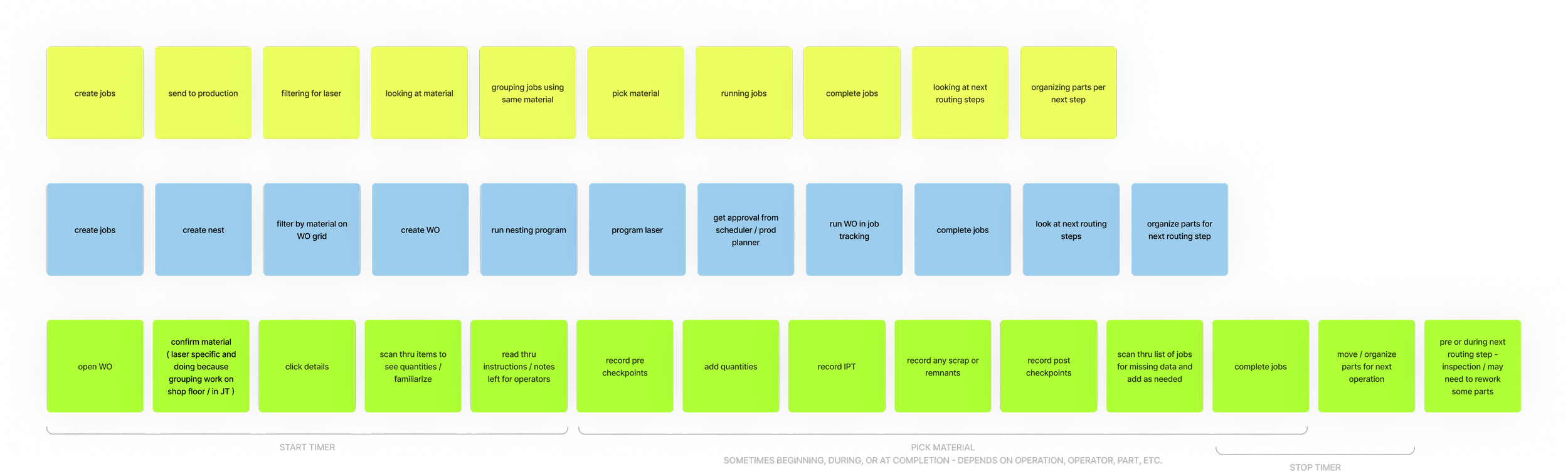
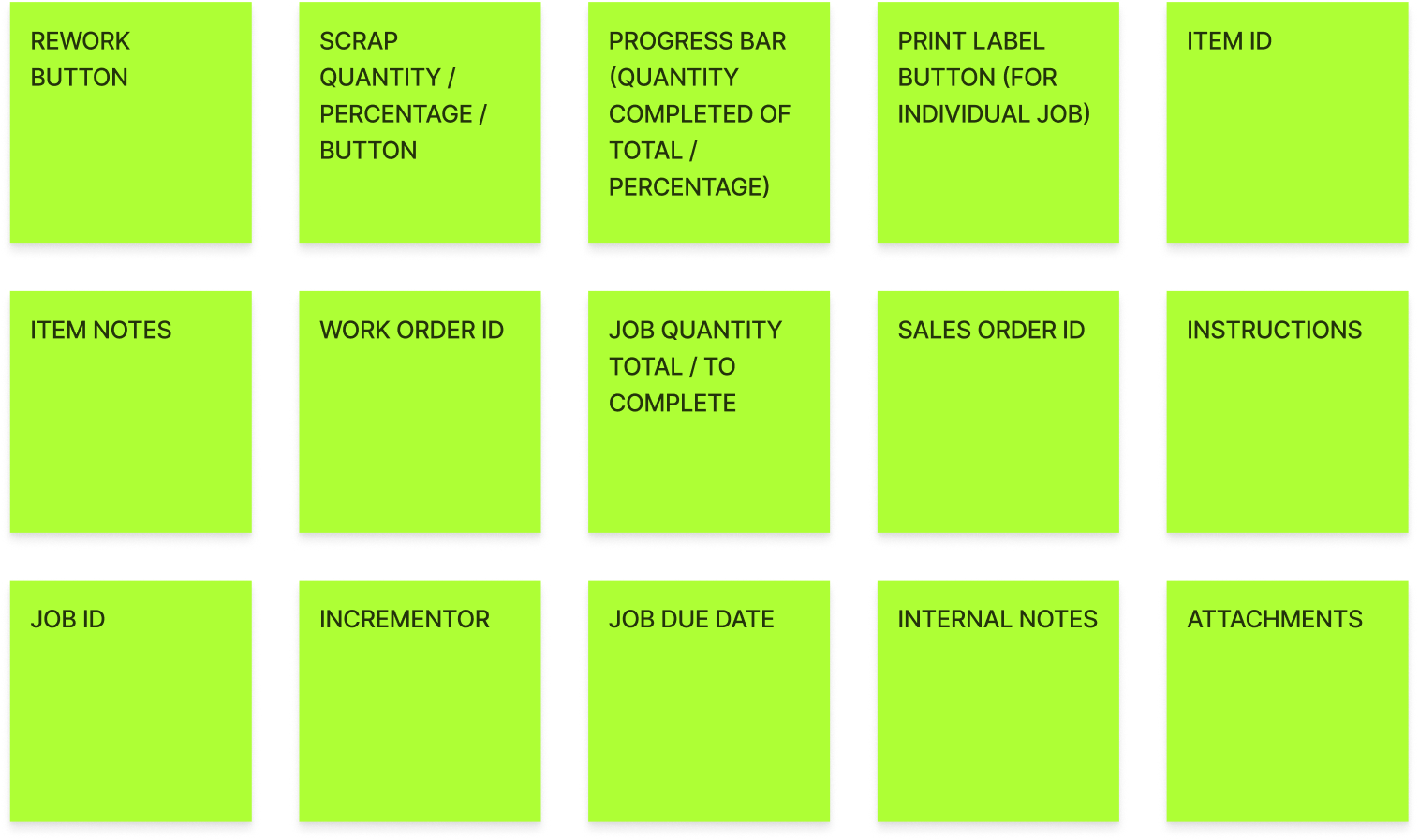
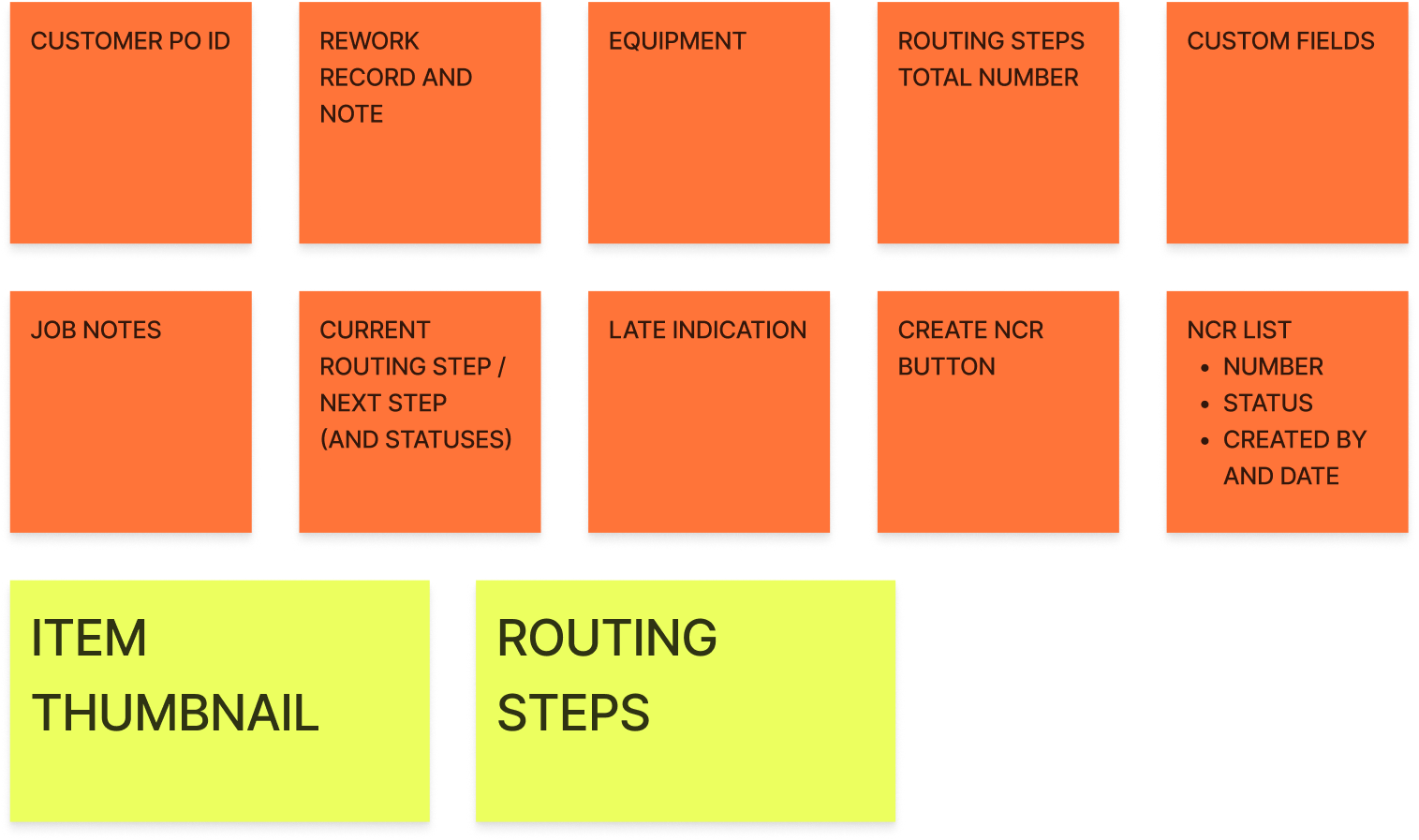
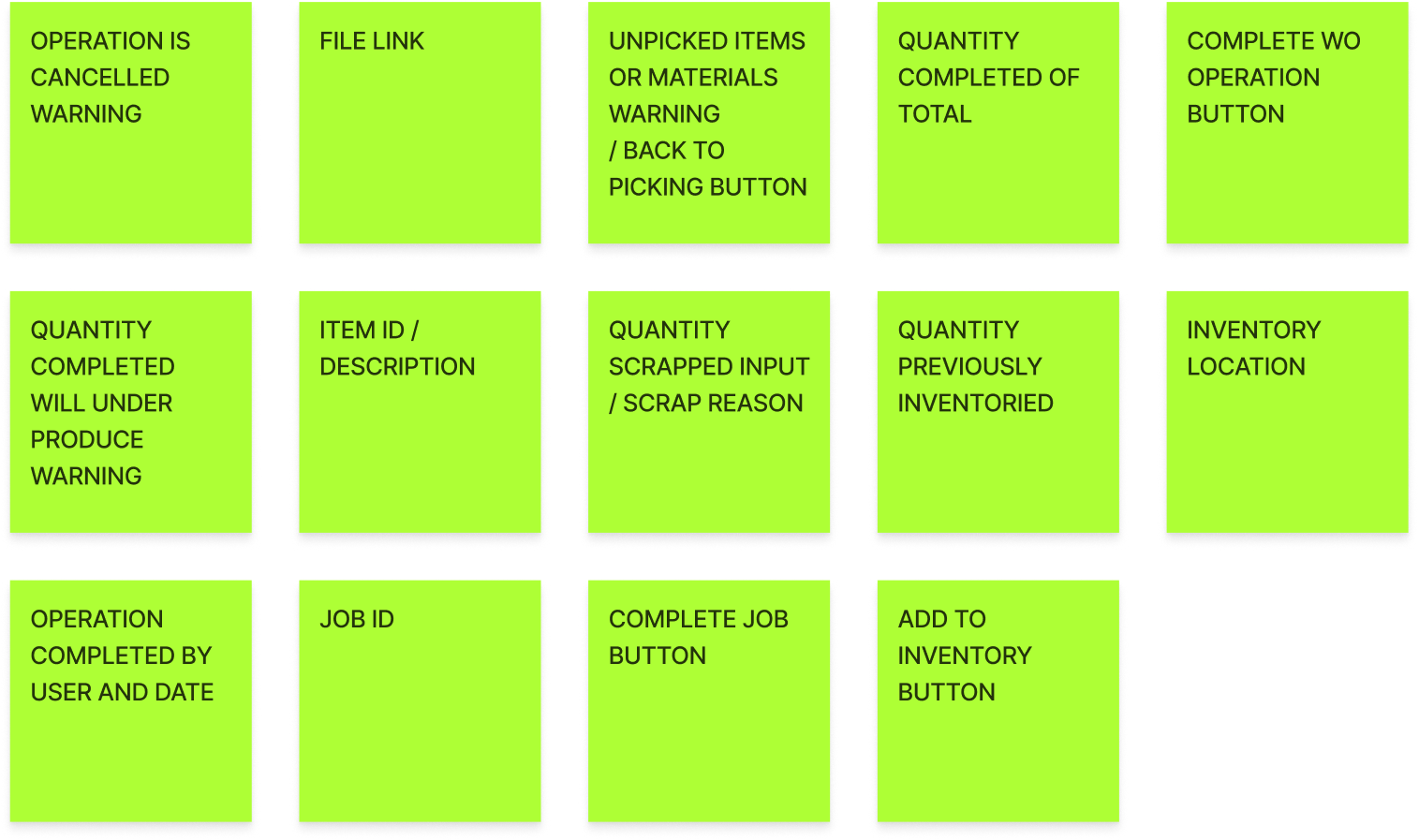
I also spoke with both operators and production managers about the issues they were facing. I then mapped each workflow and compared them for consistencies vs inconsistencies, so which UI elements and interactions were valuable to most users versus ones used less often.

  • Shop floor visits: watched operators produce parts while using Fulcrum

  • Interviews: operators and production managers

  • Workflow mapping: compared workflows to separate what most users needed from what only a few did

  • Dogfooding: confirmed user complaints and found gaps we'd missed

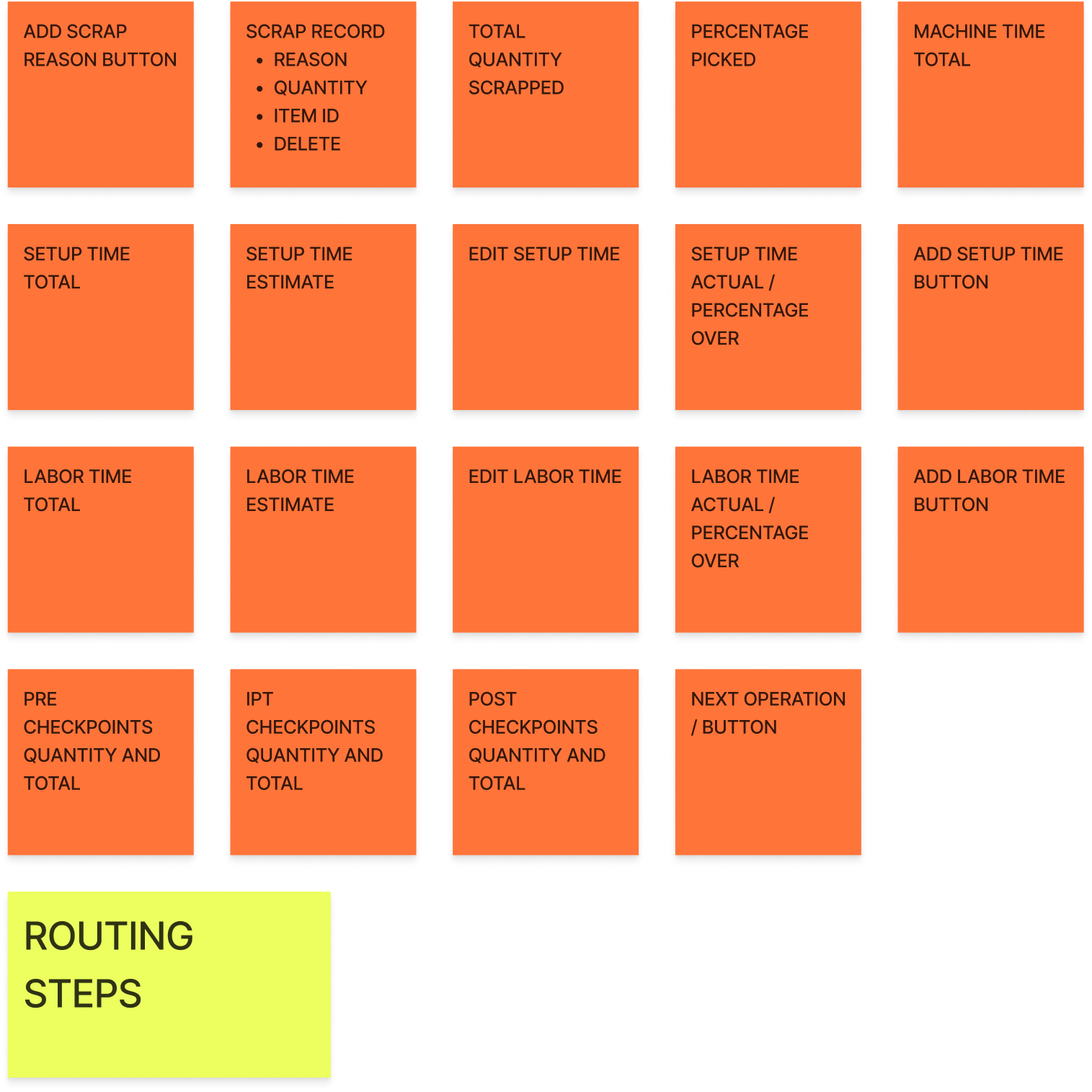
  • Gap analysis: mapped all


plain_grid.jpg
 

Overview

  • Lasers (2), Press Brakes (2), Welders (5), Drills (2), Lathe, Powder Coating Line

  • Make WO for every single laser job, every part starts on laser

  • lots of WO for powder coating

    1. laser cutting 20 diff parts from 20 gage

    2. powder coating based on color (ex: black)

    3. Paperless Parts

  • Pretty disappointed about WO project falling off last year

  • Started using Fulcrum before job tracking overhaul and really like the updates

  • Group based on laser cutting, same material

  • Powder coating same color

Attachments

  • png image - Printed

  • 3D step job open

  • sometimes 20, 30, 40 parts in WO but usually 5-15 parts. Different attachment for each part

  • laser operator - packet of paper

  • powder coaters use the attachment

What they want to see in WO

  • Visibility into the next routing step, previous routing step for each item

  • Bridge gap between the job job-tracking and WO job-tracking UX

  • Ability to edit in-progress WOs, they have a lot of changes once work has begun

  • Any and all flexibility

    1. Reopening operations within WO would be huge

    2. Adding/removing jobs to WOs

  • Laser cutters don’t use attachments heavily in WOs, they have printed pages to look at

  • Powder coaters use the attachments - feedback on not being able to see the attachments sometimes but thinks this is a user error

  • Want to be able to see the WO actual time on WO page

  • They are only using WO for laser cutting and powder coating but would like to use in other operations

  • Have 1 client that orders 20 different panels on a SO where they created a specialty operation just for that client (specialty forming) so they can see all those jobs at once in job-tracking

    1. If they were able to see all jobs (parts) in a clean way and easily tap into them, they would prefer grouping into a WO

  • Quality checks in WO

  • Only really need 1st part check and final part check toggles

    1. Sometimes the same checks across parts, sometimes different

Additional feedback

  • Like that you can adjust the qty required in WOs

  • Purchase planning - would die for the ability to remove things from the list

  • We’ll buy powder, says we need 36 lbs, but only have 35lbs, because of the 1lb, it stays on purchase planning forever

  • Edit revision number would be big for them

  • customer error or user error when entering revision

    1. like how we now allow item name editing


Current workflow

  • Were using WOs some when cutting jobs from same material

    • Difficult to clock in and out of jobs for that

    • Also for sawing operation

    • Mostly when using raw materials

  • Laser guy would make his nest based on open jobs they have available, filter by material types in WOs and then create a work order

    • Then he’d run the nesting and program his laser

    • Scheduler / planner would need to approve it to make sure he wasn’t cutting too far in advance for any of those jobs he grouped

    • Then would run thru WOs

  • Started to prioritize quality in the shop and couldn’t use work orders anymore because of this

IPT now

  • Take part drawing and copy it, circling all the dimensions that will be recorded for IPT and making an inspection doc based on that

  • Circled in red and numbered, numbers correlate with the doc

  • Production manager creates this and the IPT data as a way to force him to review the parts

  • Doing this in using / during engineering status

  • Allows them to be flexible at the job level

  • Right now the production manager is the best option for who should do this (manage quality generally), but maybe not doing it forever

  • He’d like to hire a quality manager to do that at some point

    1. Hasn’t done yet because he feels like would cause too many delays now

  • Sometimes they have customer specific IPT steps, sometimes its a high risk item and so ashland chooses to do the checks, and sometimes its just to fulfill the basic quality inspections they’ve set up

  • Sometimes just a checkbox, sometimes many steps - depends on the parts

  • Doing first article for customers who don’t request more

  • When jobs are released to floor and operator opens job tracker - trained to look at the IPT tab in there to look and understand what checks need to be done on that operation

  • Want to do an additional layer of checkpoints for only a quality operator to be able to sign off on - some guys just filling numbers in to speed thru

  • 1 quality person stationed in shipping department - they’re not cleared to leave the building

Full quality process

  • Looks at customers PO and the internal quote to double check language there for anything specific / promises that maybe hadn’t been conveyed to shop floor, generally double checking that they did what they said they would

    1. Does a visual for scratches / makes sure colors correct

    2. Physical inspections while referencing IPT data - checking against what was recorded and the data is correct (in the job page)

    3. Will download the IPT data and have it in a folder

      1. All compiled in a folder

      2. Material certs

      3. Weld quality reports coming from third party also

      4. Creates certificate from the job page - wants to see more fields in there

      5. Types out that he’s reviewed everything he should (PO, quote, quality points, etc.)

        1. And the quantity he’s certifying with customers requirements

        2. Makes a zip folder and upload back to the job and send to the customer as well

  • Fields he wants on certificate - wants custom fields, just to help with things they might commonly forget (prompted to fill things in instead of having to remember)

General WO feedback

  • Using part numbers to distinguish between work

  • For laser - they don’t know which parts they’re going to be cutting first

  • Talked about grouping powder coating and others, but haven’t gotten into it because of the operator

Nesting

  • Wherever the program / nesting happens thats where the work orders need to be generated

  • Going into work orders grid and doing it from there

  • Would separate everything by paper the same way they were sorting in WOs

Materials

  • Want operators to inspect materials before he even starts the job, super important for them to understand quality requirements of the job before they start doing anything

  • Using attachments and instructions fields to give them all information they need on a job

  • Would love an Excel viewer as well


General

  • Production manager / but also an operator sometimes

  • Also have a laser operator

  • Grouping for laser by material type

  • Don’t like the way the work orders grid shows your the newest stuff first - want to work on what’s late or most likely to be late

  • Since not using work orders - wish they could sort the operations list by material type

  • Checking material in JT and then going back to work orders

  • Could be a variety of customers that they’re grouping for laser

  • Clicking into the picking to see the material its using

Notes and instructions

  • Operators often miss notes left by sales team for operators / instructions - using these heavily

  • Says we helped by adding item tags - they’re using to flag certain things for them to look out for

    1. Want something in JT to make sure they aren’t missing those custom notes / details

    2. Would ideally have them look at details first in job tracking

    3. Mention confusion about which notes go where - especially from job page

  • Really want to use work orders because having to go thru and pick on all these separate jobs is difficult / hard to remember to do / keep track of

  • Wants to be able to have operators leave notes to keep on a part - tribal knowledge, photos, pictures of setup, etc.

Filtering job tracking dashboard

  • Want to filter operations list in JT by item / material or search for a part number

  • Tough with work orders that we show ‘multiple’ instead of what parts are ont that WO - they can’t find what they need because of that

    1. Generally, the way the job tracker is filtering isn’t great

    2. Take the thing at the top even though it’s not scheduled yet

      1. Really easy to miss the separate by dates in the job tracker - you want to see what needs to be worked on today most of the time

      2. Very easy to scroll beyond that and not realize it

      3. Also seeing all the paused stuff at the top - typically only relevant to the person working on that job, managers might want to see everyone who is paused but otherwise it gets in the way

  • Would group fabrication, bending, powder coating, rob says not press brake

  • Want things all ready at the same time for inspection

    1. Would also want to filter by tooling or setup, fabrication step would be based on assembly it

Job tracking shop floor flow

  • Big thing for them - is that work orders need to be fully completed in order for the separate parts to move forward

  • Want each part to be able to be moved to the next operation, but they couldn’t because the full work order wasn’t completed, so those parts just get stuck and can’t move to the next routing step

    1. Why this would happen - running out of material, something goes wrong, material is late, etc.

    2. Especially bad for outside processing - need a certain part to get shipped out and its stuck sitting in a work order an they can’t process the PO because of that

    3. Admittedly they were making WOs too large maybe, so this was more likely to happen, but still a reason they stopped using WOs in fulcrum

Rework

  • Rework doesn’t work well for work orders

  • Often the laser operator won’t realize something needs rework until its at the next routing step because it’s the guys pulling them out who realize a part needs to be re-cut, and so you need to do rework for the prior operation

    1. Can’t do rework for an operation that’s already completed in JT, so their solution is to make a whole new job for however many need to be re-cut

Identifiers

  • Referring to part number, job number, or customer on shop floor

  • Annoying that attachment is opening in a new tab when you click on it in operation list

  • Multi page pdf attachments are a pain in the ass

  • Generally attachment organization is not great - difficult to find things

  • Would be nice for AI to detect which job needs to be accessed at each operation - just automatically pull up which one is relevant

    1. Would also like for operators to be able to add attachments

    2. Especially a pain on a tablet - scrolling thru things sucks on tablets generally

    3. Having attachments in job tracking was a big selling point

AI wishlist

  • Want AI to auto-pick or detect generally when people forget things - stopping timers, have prompts based off user patterns so they don’t forget things

  • Any enhancements to searching in the JT operation list would be huge too

notes_block_tall.jpg


in progress

COMPLETE

 
plain_grid_tall.jpg
 

design approach

Design Approach
Built for a tablet in motion. Operators walk the floor and need a screen small enough to carry but big enough to read technical drawings.

  • Less noise on the main view: only essential info and interactions

  • Signal, don't show: small indicators point to the detail view

  • Fewer clicks, less scrolling: operators are handling physical parts

  • Easy part-to-part navigation: the detail view keeps the same identifiers and core interactions


Challenges
Every shop is different

  • Different layouts, industries, and goals (speed vs. quality)

  • A laser operator and a powder coater have different setups, gear, and workflows

  • Not everyone used a tablet: some used desktops or phones

  • Designing for all of them was the hardest part


 WIRE FRAMES

plain_grid.jpg

the solution 

What I Learned → What I Designed
1. Everyone identifies jobs differently
 By customer, job ID, or part.
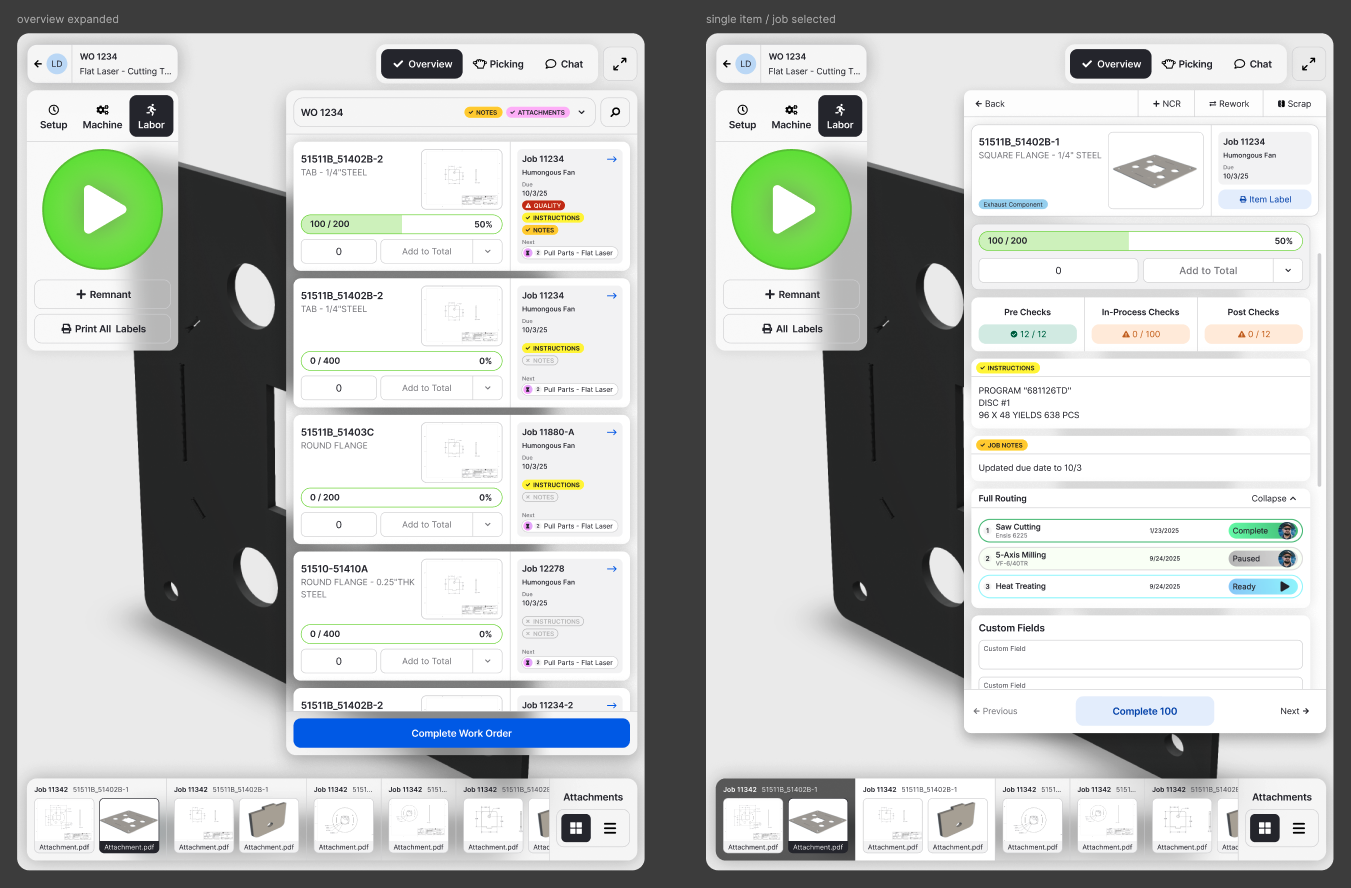
 → Added part thumbnails so jobs are recognizable at a glance and the list is easier to scan.
2. Instructions were missing, and most users needed them
 They were left out of the original design entirely.
 → Added instructions, plus list-view indicators for instructions and notes so operators know to open the details.
3. Operators wanted to see what's next
 Next routing steps keep parts moving through the shop, and we'd overlooked them.
 → Added next routing steps to each job. After beta feedback, I added the full routing per part.
Und

 FINAL MOCKS