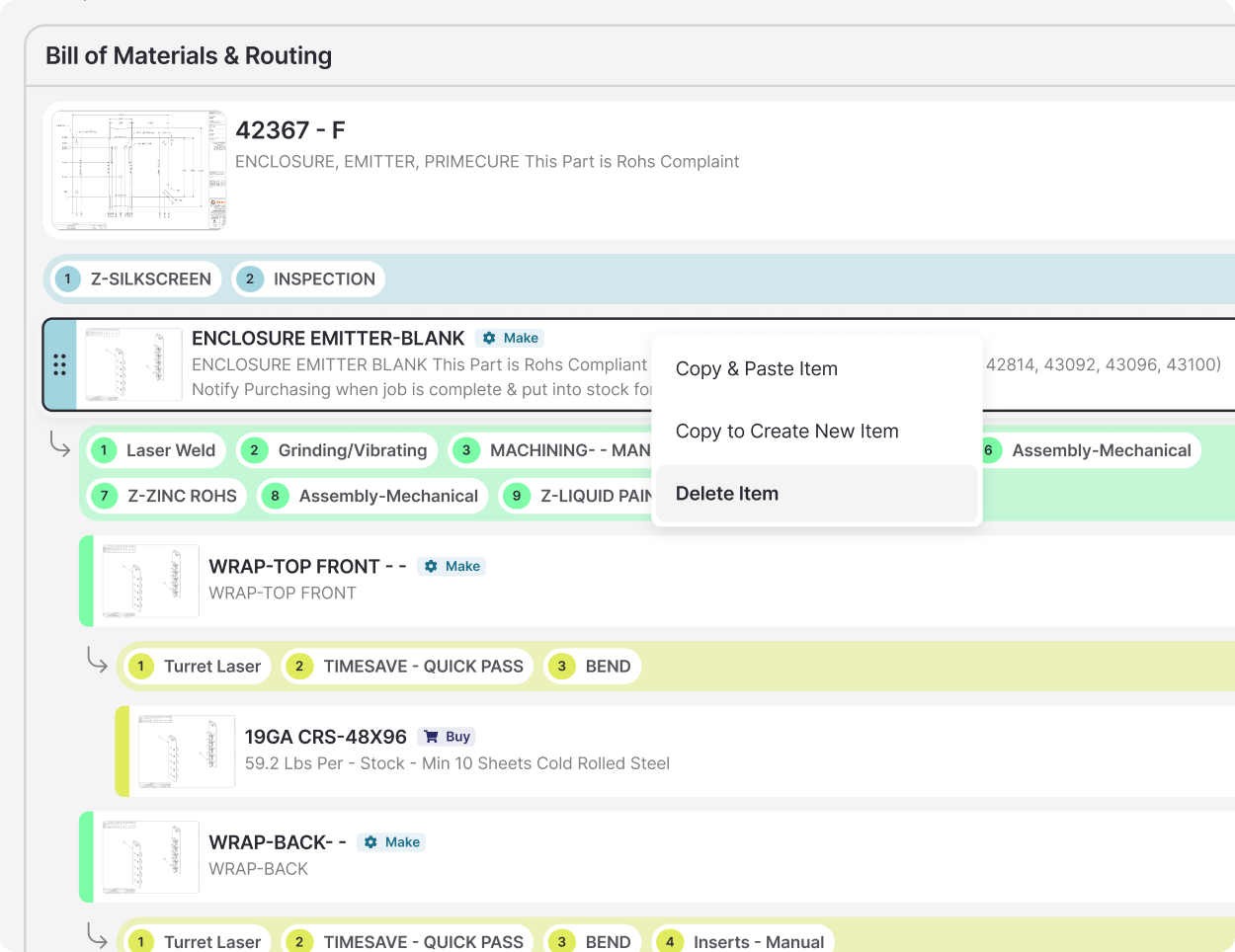
bom & routing

the problem

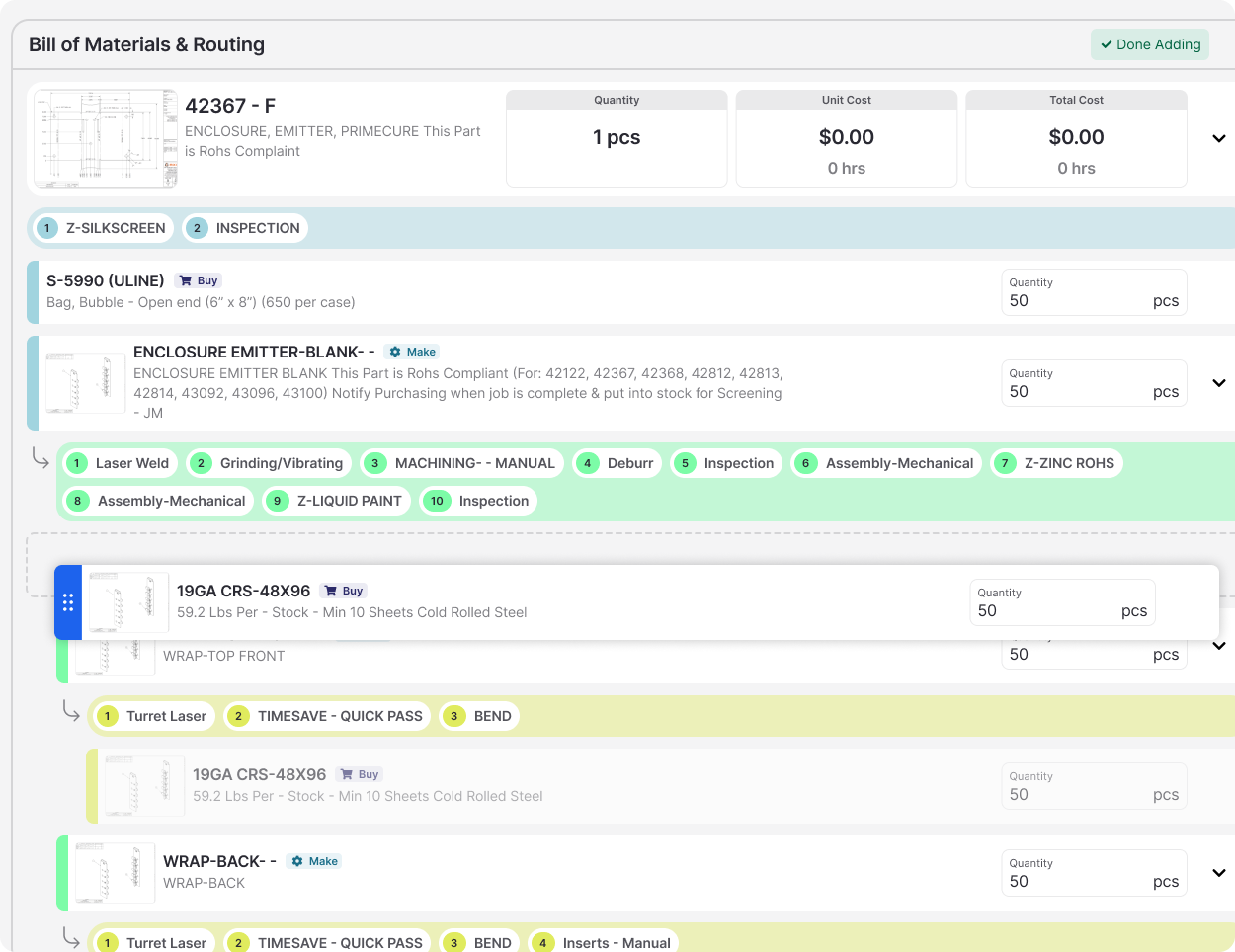
Creating a bill of materials and routing inside of fulcrum was taking users far too long. The legacy UI included redundant clicks, obstructive modals, hidden interactions, and very little flexibility.

the research

User interviews, workflow mapping, and a power user’s ideal workflow that became our source of truth.

my role

I led research, designed the full experience, and built the frontend alongside our engineer

the team

1 designer, 1 engineer, 1 product manager

the timeline

3 months

the tools

figma, vs code, mixpanel

power user workflow

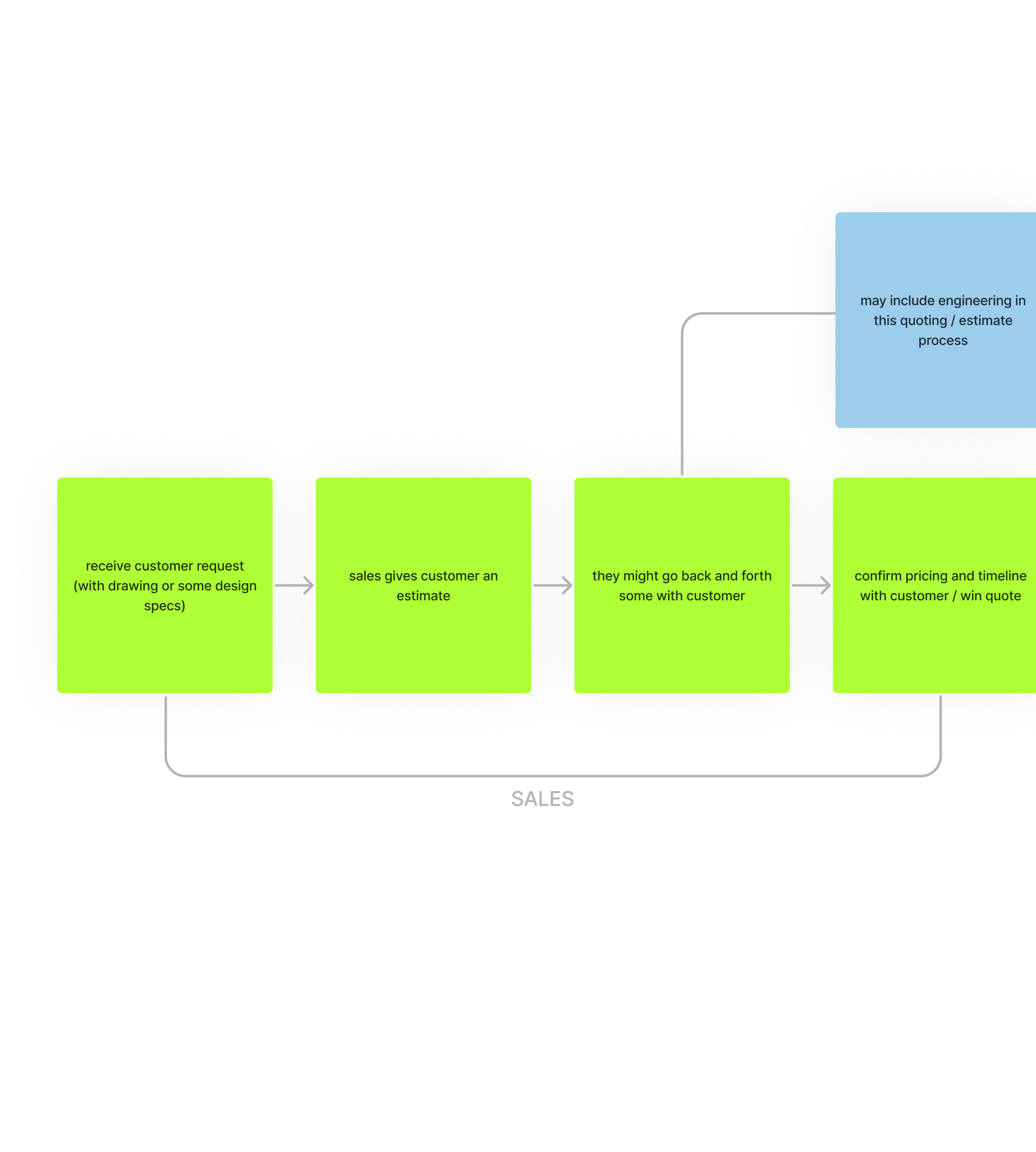
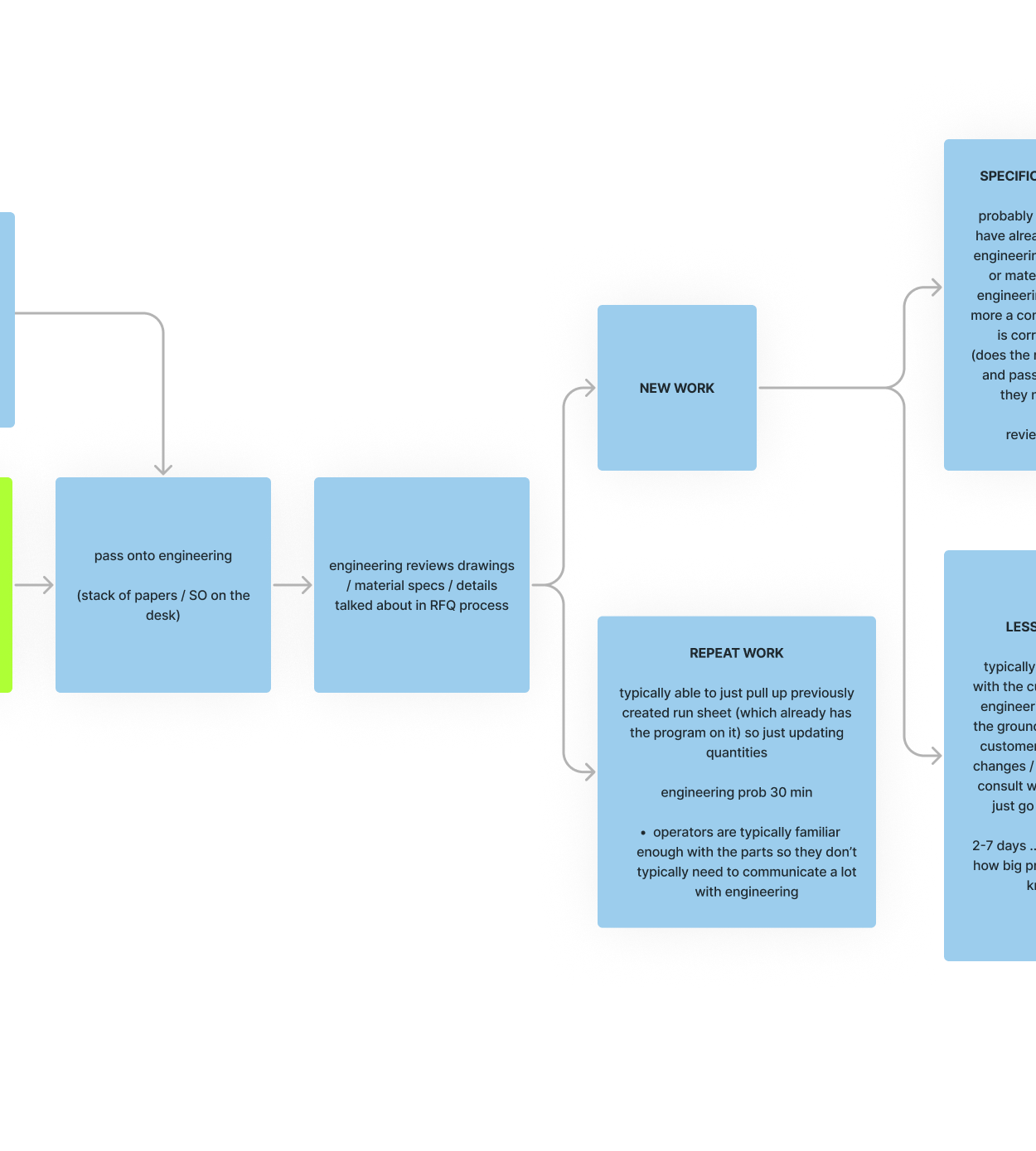
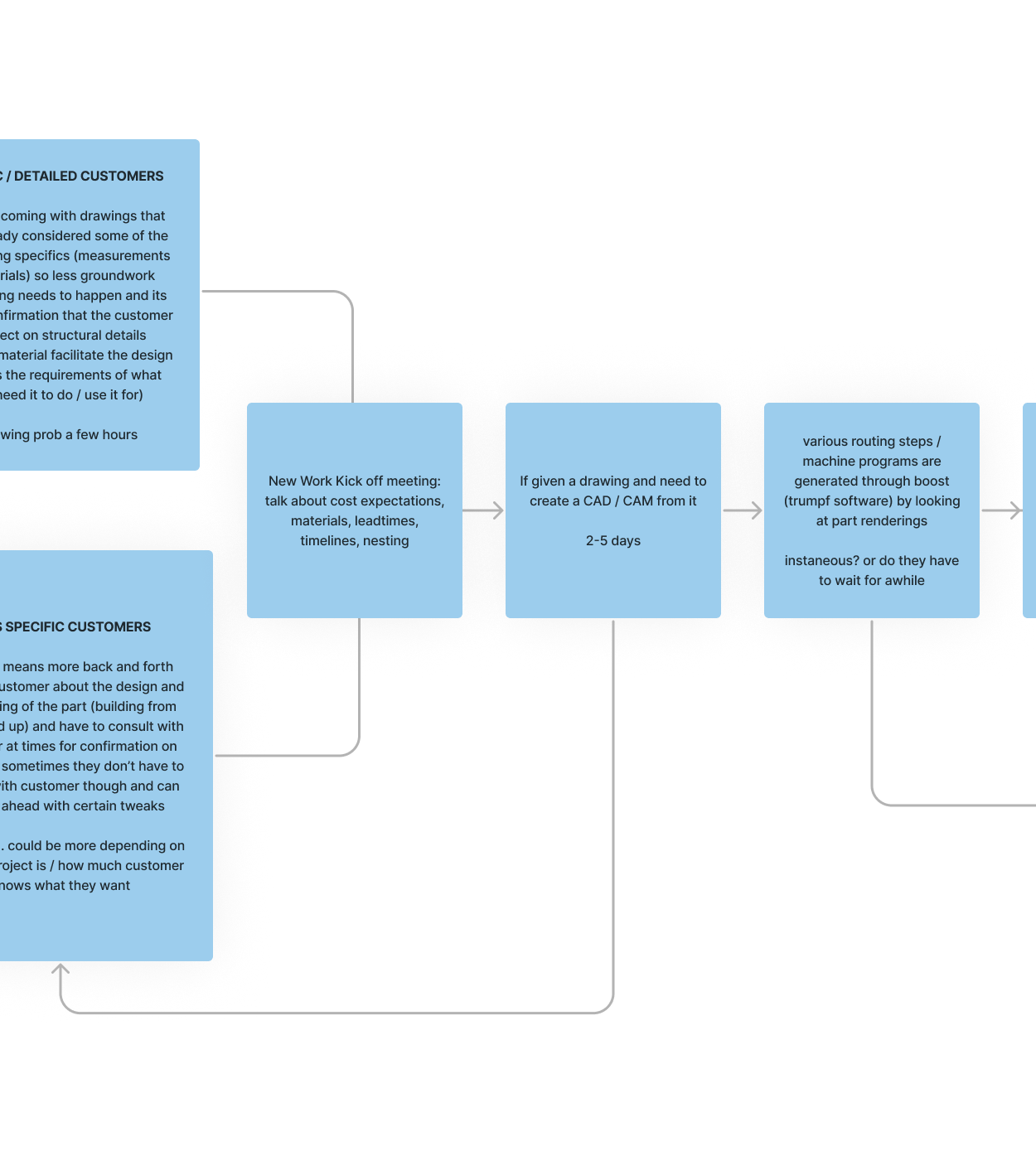
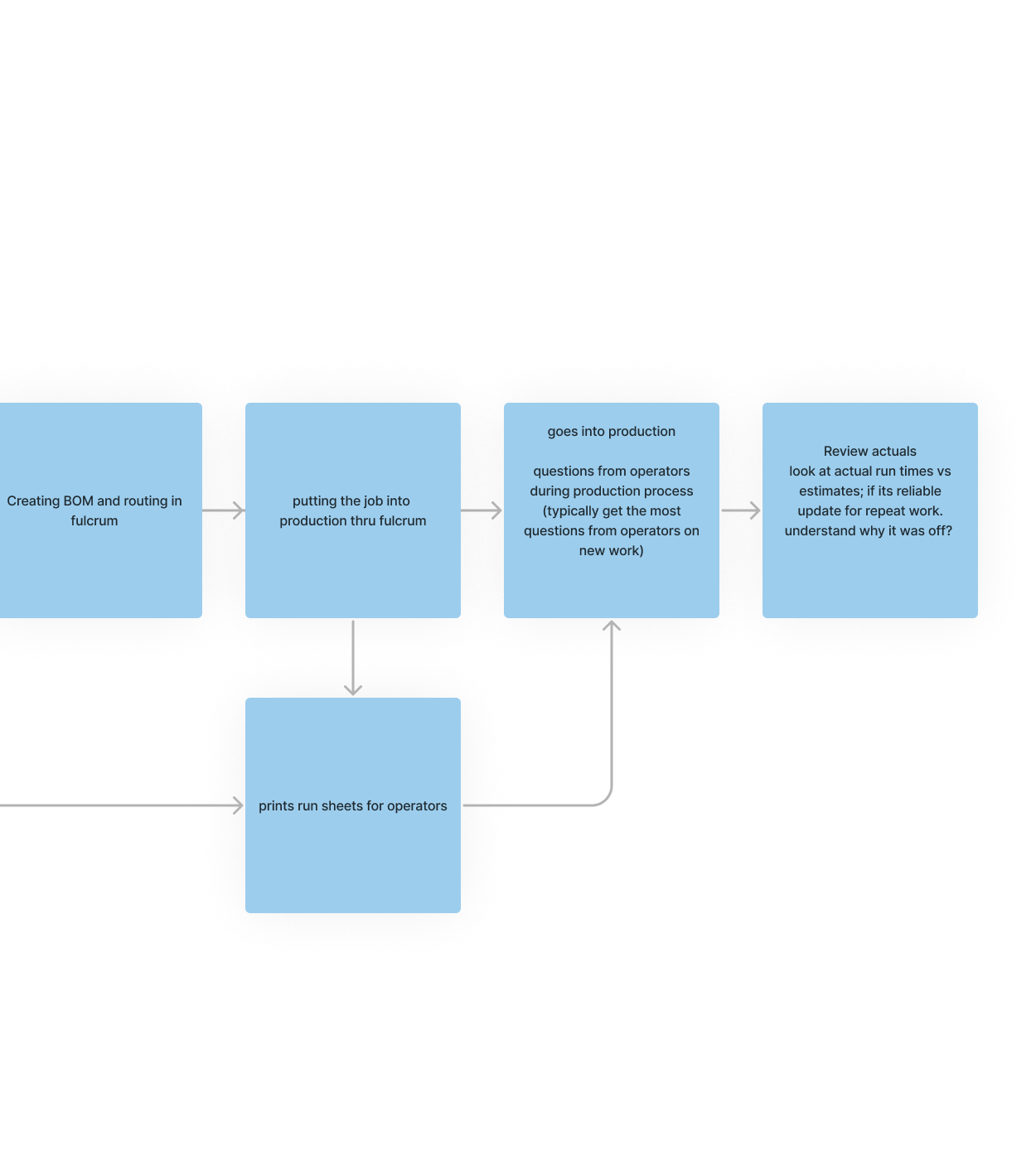
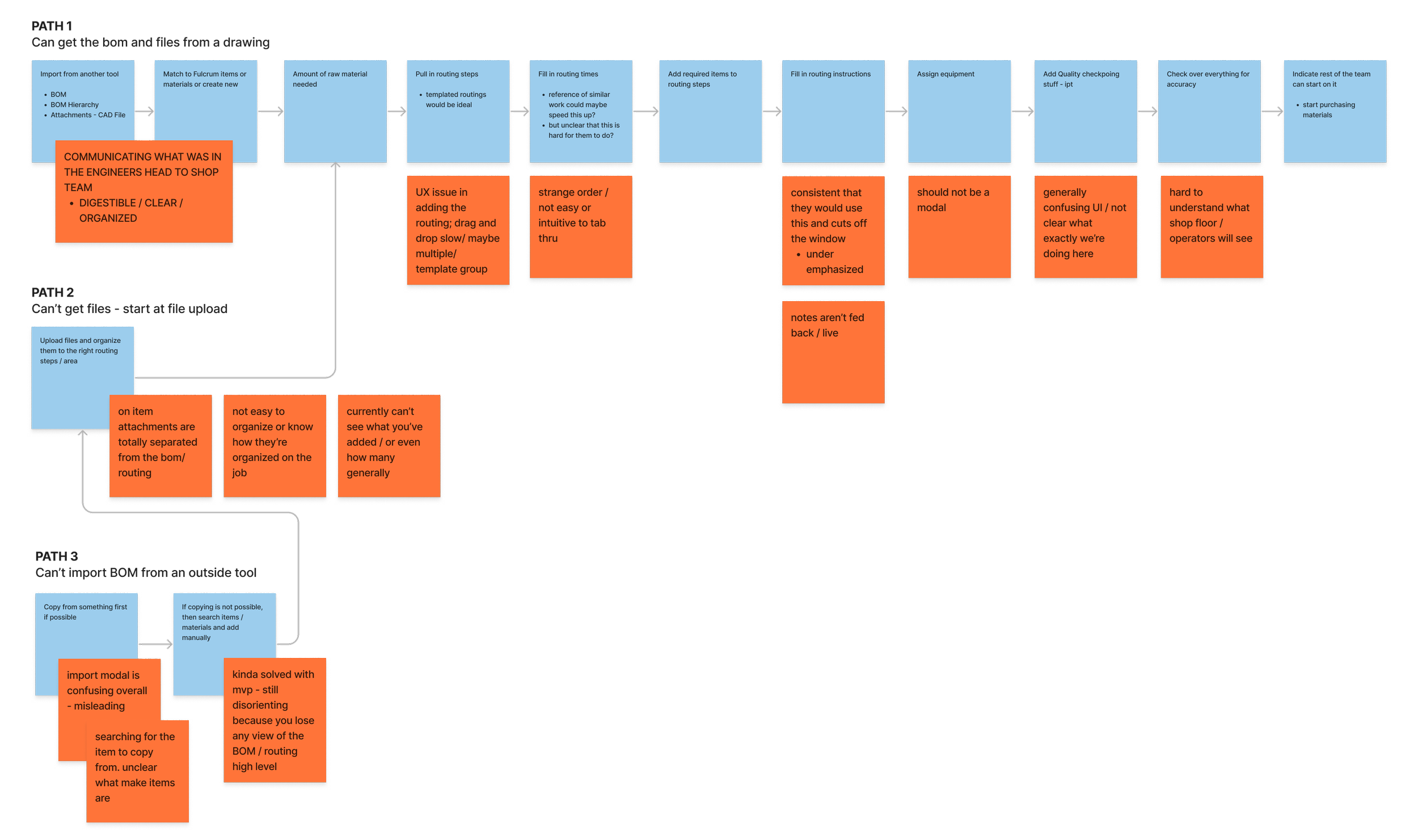
We mapped the power user workflow based on the consistencies and formed a hierarchy of information and interactions within that. This workflow was ultimately used for creating a hierarchy of interactions and information and to refer back to as I iterated through low to high fidelity mocks.


synthesis

We mapped an ideal workflow based on user consistencies, the power user workflow feedback. Our ideal workflow was ultimately used for creating a hierarchy of interactions and information and to refer back to as I iterated through low to high fidelity mocks. We also used it as a source of truth during design crits and added in feedback and notes for continuing with iterations.


the solution

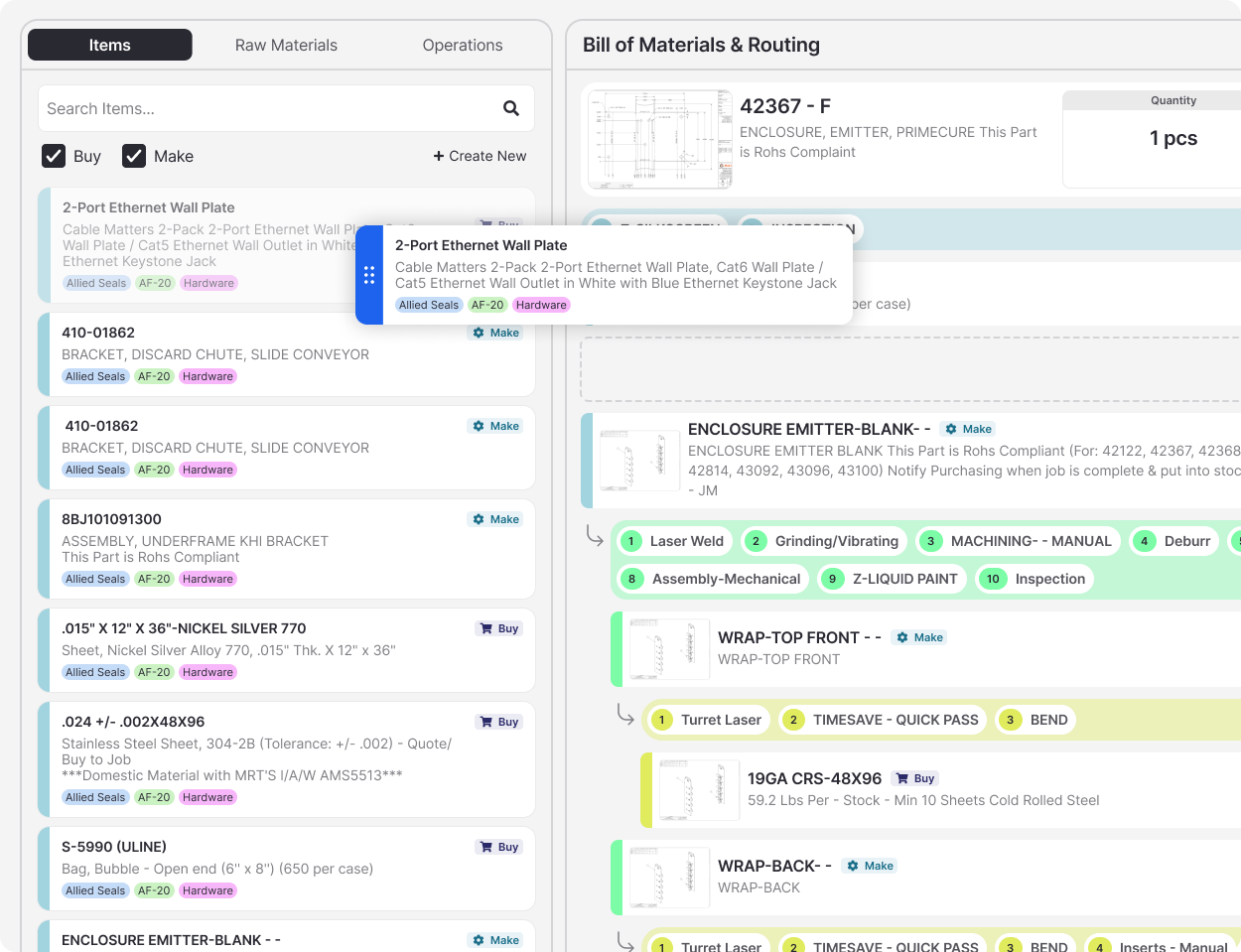
Users were given a collapsible panel on the left side of the Bill of Materials which allows for adding items, materials, and routing steps to the BOM & routing interchangeably while viewing the full BOM & routing. This panel also includes settings, attachments, and quality checkpoints for each routing step and the full routing sequence. The original UI used a number of modals that fully obstructed the view of the BOM & routing and forced users to add items and routing steps separately.


drag & drop

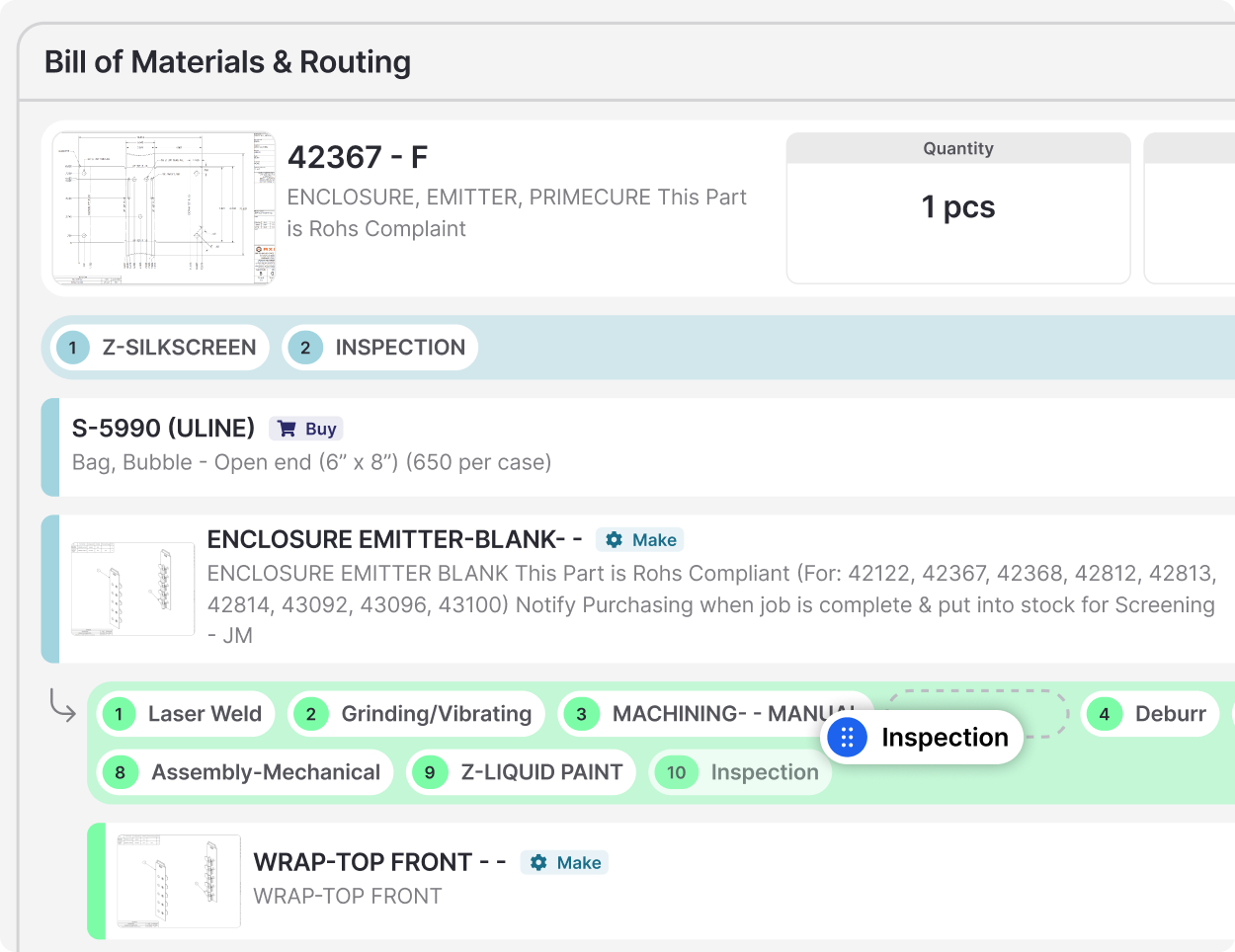
We also added the ability to drag and drop elements from the panel into the BOM or routing as well as within the BOM & routing levels. I also added the first right click functionality in the site here so that users could quickly copy and paste elements, delete elements, or duplicate portions of the BOM. We also updated the order of the items to reflect newly added items and materials at the top so that relevant data was readily accessible.


shortcuts

Based on research into other softwares and workflows common for the power user of the BOM & routing, we chose to include shortcuts often incorporated in other softwares. This included right clicks that allowed for quickly deleting or duplicating elements and creating new items. This was the first implementation of any right click shortcut in the entire product.